Hidden Network Adapters in Azure VM and unable to access network resources
I have some Azure VM’s that I regulary Stop (deallocate) and Start using Azure Automation. The idea is to cut costs while at night or weekends, as these VM’s are not used then anyway. I recently had a problem with one of these Virtual Machines, I was unable to browse or connect to network resources, could not connect to the domain to get Group Policy updates and more. When looking into it, I found out that I had a lot of hidden Network Adapters in Device Manager. The cause of this is that every time a VM is shut down and deallocated, on next start it will provision a new network adapter. The old network adapter is kept hidden. The result of this over time as I automate shut down and start every day, is that I get a lot of these, as shown below: 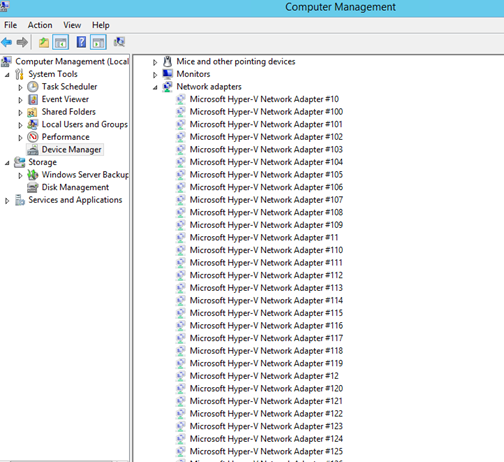 I found in some forums that the cause of the network browse problem I had with the server could be related to this for Azure VM’s. I don’t know the actual limit, or if it’s a fixed value, but the solution would be to uninstall these hidden network adapters. Although it is easy to right click and uninstall each network adapter, I wanted to create a PowerShell Script to be more efficient. There are no native PowerShell cmdlets or Commands that could help me with this, so after some research I ended with a combination of these two solutions:
- Device Management PowerShell from Technet Gallery: http://blogs.technet.com/b/wincat/archive/2012/09/06/device-management-powershell-cmdlets-sample-an-introduction.aspx
- Windows Device Console (DevCon.exe) http://msdn.microsoft.com/en-us/library/windows/hardware/ff544707(v=vs.85).aspx
I then ended up with the following PowerShell script. The script first get all hidden devices of type Microsoft Hyper-V Network Adapter and their InstanceId. Then for each device uninstall/remove with DevCon.exe. The Script:
| |
ForEach ($hiddenNic In $hiddenHypVNics) {
| |
.\devcon.exe -r remove $deviceid
}
And after a while all hidden network adapter devices was uninstalled: 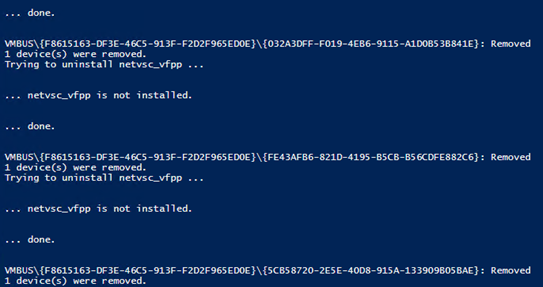 In the end I booted the VM and after that everything was working on the network again!